
- Login as HQ Admin or Studio Manager.
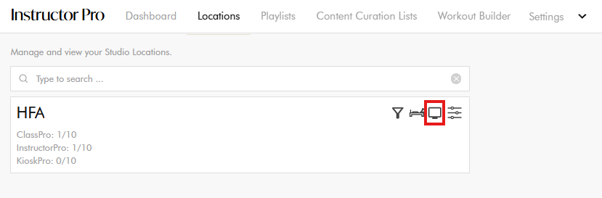
- Go to Location and select the Device Icon for the correct studio.
- Open the Reformer Pro Streamer device with the Calendar Icon.
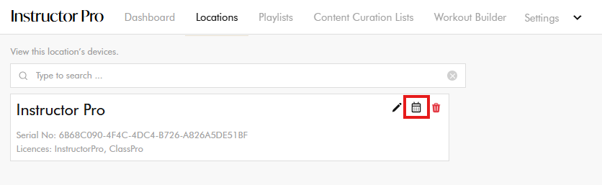
- Select the Calendar Icon to open device calendar.
Schedule a Class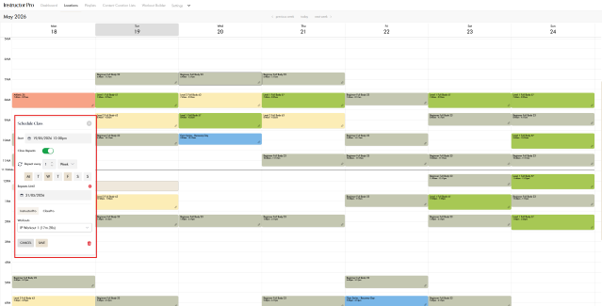
- Select a time slot or manually edit the class start time.
- Configure repeats if required:
- Daily
- Weekly
- Monthly
- Set a Repeat Until date if needed.
- Select a workout from the Instructor Pro tab.
- Save the schedule.
-
The class will automatically sync and play on the Google TV Streamer at the scheduled time.
Edit a Scheduled Class
- Click on the scheduled calendar slot.
- The Edit Popup will appear.
- Update the class details or repeat settings.
- Save the changes.